
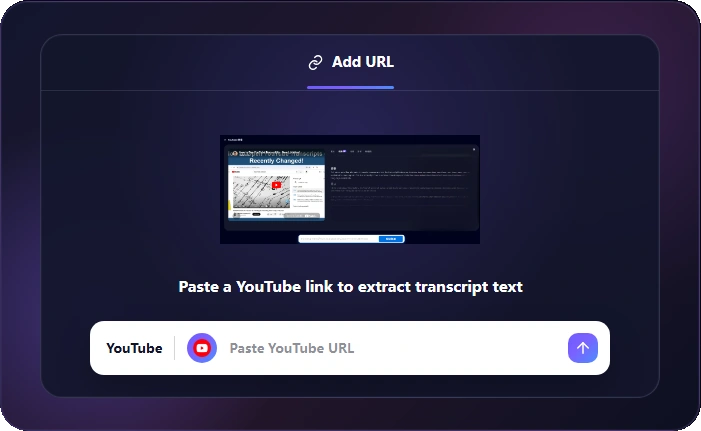
1. Paste Your Link
Paste a supported URL into the workspace and let the tool read the content.
Paste a YouTube URL and turn video speech into readable transcript text in your browser.
Paste a YouTube URL and extract readable transcript content for notes, research, captions or republishing workflows.
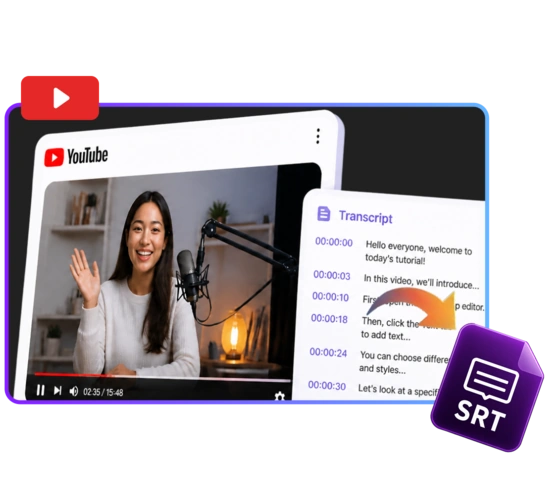
Paste a supported URL into the workspace and let the tool read the content.
Let the page read the video and generate clean transcript text.
Copy the transcript or download it for notes, captions and content workflows.
Built for creators, students, podcasters, marketers and teams working with video and audio every day.
Prepare clips, audio and media files for publishing.

Save lessons and references in easier-to-use formats.
Turn recorded media into production-ready files.

Review, share and repurpose audio or video materials.

Reuse media assets for campaigns, ads and recaps.

Standardize media files across teams and workflows.
Keep the whole transcript flow in one browser-based workspace, without installing software or switching between separate tools.

Paste, extract, copy and download text
Yes
YouTube URL and transcript text
Fast browser-based processing
Yes
Full paid workspace access


Manual transcription or scattered caption tools
Usually require desktop software
Limited format support
Slower with repetitive export steps
Usually require installation
Usually restricted

Transcript work stays in the browser workflow, helping users handle lessons, interviews and research videos with care.
Real feedback from people who use YouTube Transcript for practical file work.

"YouTube Transcript turns long videos into text I can scan, quote and organize much faster."

"It is helpful for lecture notes because I can extract the transcript from a link."

"Our content team uses transcripts to turn videos into outlines and article drafts."

"The workflow is simple enough for research, captions and meeting notes."

"I can pull key lines from interviews without replaying the same section over and over."

"For class material, searchable text is much easier to review than a full video."

"The page keeps the transcript task focused and easy to repeat."

"I use it whenever a YouTube video needs to become written reference material."
"YouTube Transcript turns long videos into text I can scan, quote and organize much faster."
"It is helpful for lecture notes because I can extract the transcript from a link."
"Our content team uses transcripts to turn videos into outlines and article drafts."
"The workflow is simple enough for research, captions and meeting notes."
"I can pull key lines from interviews without replaying the same section over and over."
"For class material, searchable text is much easier to review than a full video."
"The page keeps the transcript task focused and easy to repeat."
"I use it whenever a YouTube video needs to become written reference material."
Answers for the details users usually check before starting the workflow.
Helpful utilities for creators and everyday work.

Everything you need to work with files in your browser.
Start Converting