

Overview
PNG is a popular image format that supports lossless compression and transparent backgrounds. JPG uses smaller file sizes and is widely supported for photos, websites and everyday sharing. This guide shows you how to convert a PNG to a JPG online using Koriflux.
How to Convert PNG to JPG?
- 01
Upload your PNG image.
Choose a PNG file from your device and upload it to the workspace.

- 02
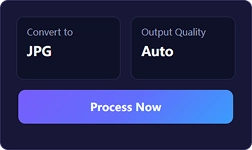
Select JPG as the output format.
Choose JPG as the output format and adjust the available settings if needed.
- 03
Download your JPG file.
Start the conversion, then download the finished JPG file to your device.
Tips
- PNG files can be larger than JPG files, especially for detailed images.
- JPG is a practical choice when you need a smaller image file.
- JPG does not support transparent backgrounds.
- You can convert PNG images online without installing software.
Frequently asked questions
Upload your PNG image to the converter, select JPG as the output format, and download the converted file.
Related tools
Continue with the image tool you need for converting, compressing, resizing or editing your files.


See also
Convert image formats
