

Overview
JPG is one of the most common image formats, but it uses lossy compression and doesn't support transparency. PNG keeps higher image quality and supports transparent backgrounds, making it ideal for logos, graphics and web design. This guide walks you through converting JPG to PNG online using Koriflux.
How to Use JPG Converter?
- 01
Upload your JPG image.
Choose a JPG file from your device and add it to the workspace.

- 02
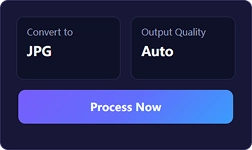
Click Convert.
Keep the default settings or adjust the output options, then start processing.
- 03
Download your PNG file.
Download the finished file and continue your workflow without switching tools.
Tips
- PNG supports transparent backgrounds.
- Convert multiple JPG files at once.
- No software installation required.
- Works on Windows, Mac, Android and iPhone.
Frequently asked questions
No. PNG uses lossless compression and preserves image quality during conversion.
Related tools
Move directly from this guide into the tool that matches the next file task.



See also
Explore nearby image workflows without returning to the full product directory.
Convert image formats

Optimize JPG files
