
Overview
AVIF is a modern image format that provides efficient compression and is increasingly used for web images. However, some applications, websites, and workflows may have better compatibility with JPG files. Converting AVIF to JPG creates a widely supported image format that is easier to share, edit, upload, and use in different applications. This guide shows how to convert AVIF images to JPG online using Koriflux.
How to Use AVIF to JPG Converter?
- 01
How to Use AVIF to JPG Converter?
Choose an AVIF file from your device and add it to the Koriflux workspace.

- 02
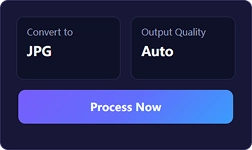
Choose your JPG settings.
Keep the default settings or adjust the JPG quality option before starting the conversion.
- 03
Download your JPG file.
Start the conversion, then download the finished JPG image and continue your workflow.
Tips
- JPG is widely supported by websites, apps, and image editors.
- Choose a suitable JPG quality setting based on your intended use.
- Keep the original AVIF file if you may need its compression efficiency later.
- No software installation is required.
- Convert AVIF to JPG when a website or application does not support AVIF.
Frequently asked questions
JPG uses lossy compression, so some image data may be removed during conversion. The resulting quality depends on the selected JPG quality setting.
Related tools
Move directly from this guide into another image tool for converting, compressing, or editing your files.

See also
Explore related image workflows for converting and optimizing your files.
Convert image formats

Optimize image files
